


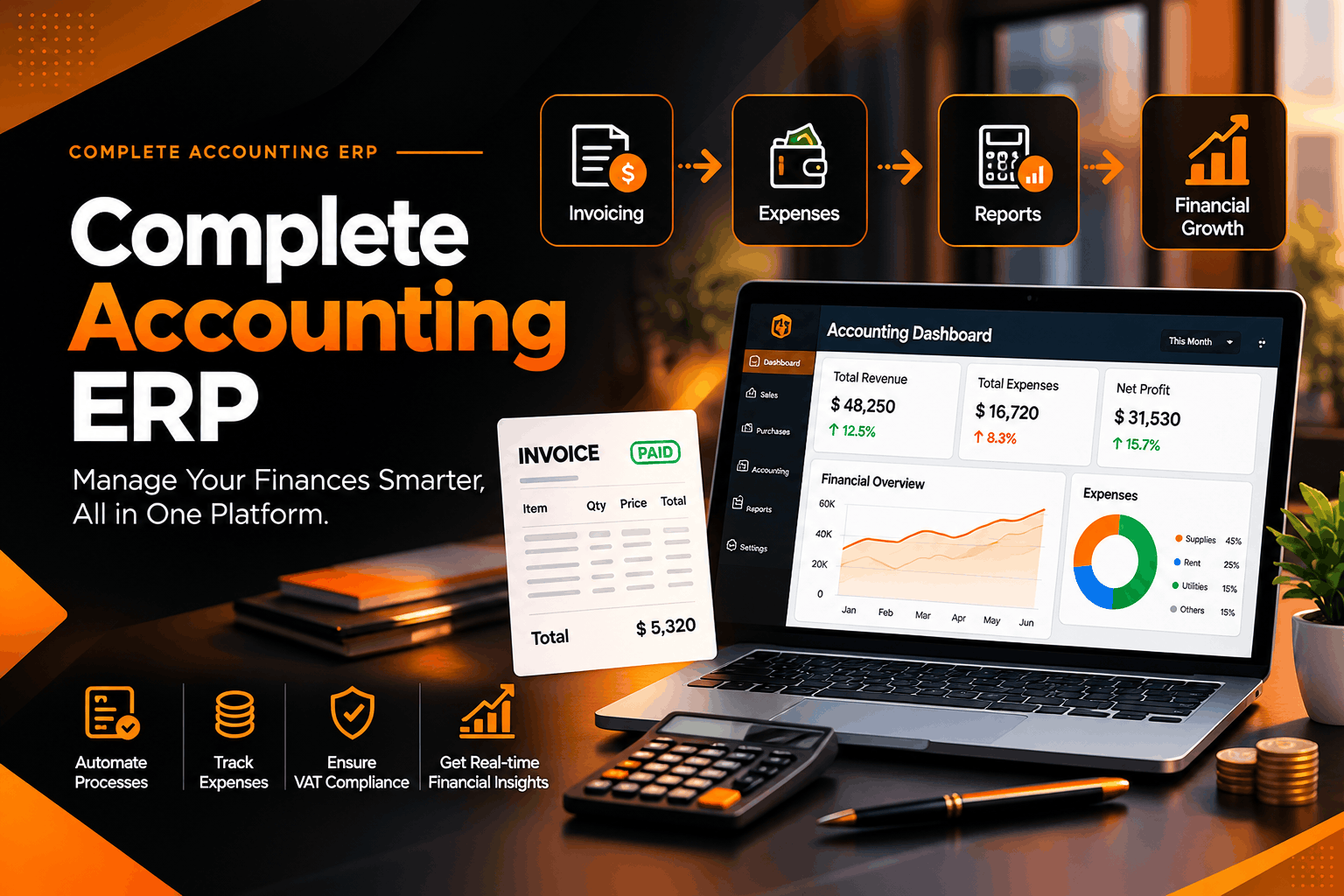
Complete Accounting ERP: How an Integrated System Simplifies Business Finances
Introduction
Managing business finances is becoming increasingly complex as companies grow, handle more transactions, expand their operations, and face changing regulatory requirements. From recording sales and tracking expenses to managing supplier payments, customer receivables, taxes, and financial reports, every financial activity requires accurate data and consistent processes.
Many businesses still depend on separate accounting applications, spreadsheets, manual calculations, and disconnected systems to manage these activities. Although these methods may work for small operations, they can become difficult to maintain as transaction volumes increase. Disconnected data can lead to reporting delays, duplicate entries, reconciliation problems, and limited visibility into financial performance.
A complete accounting ERP system offers a more integrated approach by bringing essential financial operations together within a single platform. Instead of managing accounting as an isolated department, businesses can connect their financial data with sales, purchasing, inventory, customer management, and other operational processes.
For businesses in Saudi Arabia, a well-configured accounting ERP can also support local accounting practices, VAT configuration, financial reporting, and integration with applicable ZATCA e-invoicing requirements.
Innovazy helps businesses implement and customize Odoo ERP solutions designed to connect financial management with everyday operations. This guide explores what a complete accounting ERP includes, how it works, its benefits, and how businesses can choose the right solution for their needs.
What Is a Complete Accounting ERP System?
An Enterprise Resource Planning (ERP) system is business software that integrates different organizational functions through a shared platform and connected data.
A complete accounting ERP combines core accounting capabilities with the tools required to manage and monitor a company's financial activities. Depending on the implementation, it can include invoicing, general ledger management, accounts payable, accounts receivable, expense tracking, bank reconciliation, budgeting, tax configuration, and financial reporting.
Unlike standalone accounting software, an integrated ERP can connect financial transactions with the business activities that generate them.
For example, when a sales order is processed, the system can connect the transaction to invoicing, customer receivables, and the appropriate accounting records. When a supplier bill is recorded, the system can connect the expense or inventory purchase with the amount owed to the supplier.
This integration reduces the need to enter the same information into multiple applications and helps maintain consistent financial records.
What makes an accounting ERP complete?
A complete accounting ERP should provide the following capabilities:
- Centralized accounting records and a structured chart of accounts.
- Automated customer invoicing and supplier bill management.
- Accounts payable and accounts receivable tracking.
- Expense management and financial transaction recording.
- Bank statement reconciliation and payment tracking.
- VAT and other applicable tax configuration.
- Financial statements and management reports.
- Multi-currency accounting where required.
- Integration with sales, purchasing, inventory, and other business applications.
- Appropriate user permissions, audit trails, and data protection controls.
The precise scope depends on the business, its industry, the selected ERP platform, and the modules included in the implementation.
Why Businesses Need a Complete Accounting ERP
Financial information influences almost every major business decision. When accounting data is incomplete, delayed, or spread across disconnected systems, managers may struggle to understand their organization's actual financial position.
A complete accounting ERP helps address these challenges by connecting financial activities and improving access to consistent information.
1. Reduce manual accounting work
Manual data entry consumes time and increases the risk of errors. An integrated accounting system can automate recurring activities such as invoice creation, transaction posting, payment reminders, and recurring expense processing where supported.
This allows finance teams to spend less time on repetitive administrative work and more time on reviewing financial performance.
2. Improve financial accuracy
When the same information is entered into several applications, discrepancies can arise between sales records, customer balances, supplier accounts, and financial reports.
A centralized ERP reduces duplicate data entry and helps maintain consistent transaction records across connected modules.
3. Gain better visibility into cash flow
Profitability and cash availability are not the same thing. A business may report strong sales while still facing cash-flow pressure because customers have not paid their invoices or supplier obligations are due.
An accounting ERP can help businesses monitor outstanding receivables, upcoming payments, bank balances, and recorded expenses to support more informed cash-flow planning.
4. Speed up financial reporting
Preparing reports manually can require collecting information from several sources and reconciling inconsistent records.
An integrated accounting system can generate reports from centralized transaction data, helping authorized users review financial performance more efficiently.
5. Support business growth
As businesses expand, their financial operations become more demanding. An ERP can support additional users, branches, product lines, currencies, and business workflows when appropriately configured.
Instead of continually adding separate tools, a company can build on an integrated financial management platform.
Essential Features of a Complete Accounting ERP
Choosing an accounting ERP requires understanding the capabilities that support everyday financial operations.
1. General ledger and chart of accounts
The general ledger is the foundation of financial accounting. It records the financial impact of transactions and supports the preparation of financial statements.
A well-structured chart of accounts categorizes assets, liabilities, equity, revenue, and expenses so that financial information can be organized consistently.
A properly configured ERP helps businesses maintain accounting entries, review account balances, and produce reports based on recorded transactions.
2. Accounts receivable management
Accounts receivable refers to amounts customers owe the business.
An accounting ERP can help finance teams:
- Create and manage customer invoices.
- Track outstanding balances and due dates.
- Record customer payments.
- Identify overdue invoices.
- Generate statements and receivables reports.
- Monitor customer credit exposure where supported.
These capabilities improve visibility into collection activities and help businesses manage the time between issuing an invoice and receiving payment.
3. Accounts payable management
Accounts payable represents amounts the business owes to suppliers and other creditors.
A complete accounting ERP can organize supplier bills, payment terms, due dates, payment records, and outstanding liabilities.
Businesses can use this information to plan payments, monitor financial commitments, and reduce the risk of missing important payment deadlines.
Approval workflows may also be configured to ensure that appropriate personnel review purchases and supplier invoices before payment.
4. Invoicing and billing automation
Invoicing is a core accounting activity, but it is also closely connected to sales and customer service.
An integrated ERP can generate invoices from supported sales orders or other business transactions, apply configured taxes, track payment status, and maintain corresponding accounting records.
Automated invoicing can reduce repetitive administrative tasks and help standardize the billing process.
5. Expense management
Businesses incur expenses through travel, office operations, utilities, subscriptions, purchases, and other activities.
An accounting ERP can organize expense records, categorize transactions, connect expenses to the relevant accounts, and support approval processes where available.
Clear expense records help managers understand operating costs and identify opportunities to improve spending control.
6. Bank reconciliation
Bank reconciliation compares recorded accounting transactions with bank statement entries.
An ERP with suitable reconciliation functionality can help finance teams match transactions, identify differences, and investigate unrecorded fees, missing payments, or other discrepancies.
The degree of automation depends on the bank integration, available statement formats, matching rules, and system configuration.
Regular reconciliation improves the reliability of cash balances and supports more accurate financial reporting.
7. Financial reporting and dashboards
Financial reports turn accounting records into information that supports business decisions.
Common reports include:
- Profit and loss statement.
- Balance sheet.
- Cash-flow statement, where supported by the accounting configuration.
- Trial balance.
- General ledger report.
- Accounts receivable aging.
- Accounts payable aging.
- VAT reports.
- Budget-versus-actual analysis, where configured.
Dashboards can summarize important indicators, including revenue, expenses, receivables, payables, and cash positions.
The quality of these reports depends on accurate transaction entry, appropriate account mapping, and consistent accounting procedures.
8. Multi-currency accounting
Businesses that purchase or sell internationally may need to record transactions in currencies other than their primary reporting currency.
Multi-currency functionality can help record foreign-currency transactions and apply configured exchange rates and accounting treatments.
Businesses should ensure that currency settings, exchange-rate sources, and foreign-exchange adjustments are configured appropriately for their reporting requirements.
9. Budgeting and cost control
Budgeting allows companies to compare planned expenditure and revenue with actual results.
An ERP can support budget tracking, cost-center analysis, and financial comparisons when the relevant features and reporting structures are implemented.
These tools help management identify unexpected spending, review departmental performance, and make more informed resource-allocation decisions.
10. Integration with sales, purchasing, and inventory
Accounting becomes more effective when it is connected to the transactions that generate financial activity.
Sales integration can connect customer orders and invoices with receivables. Purchasing integration can link supplier orders and bills with payment obligations. Inventory integration can support stock valuation and the accounting treatment of inventory movements, depending on the configuration.
This connected approach reduces fragmentation and helps finance teams understand the financial consequences of operational decisions.
Complete Accounting ERP for Saudi Businesses
Businesses operating in Saudi Arabia must consider local accounting practices, VAT obligations, and applicable electronic invoicing requirements when selecting and configuring financial software.
An ERP system should therefore be evaluated not only for its accounting features but also for its ability to support the company's regulatory and operational environment.
Saudi VAT configuration
The accounting system should be configured to apply the appropriate VAT tax treatments to relevant transactions, maintain accurate tax records, and support the preparation of applicable reports.
Businesses should review tax mappings, invoice fields, transaction classifications, and reporting settings with qualified accounting or tax professionals.
ZATCA e-invoicing integration
For businesses covered by the relevant requirements, electronic invoicing must follow the applicable ZATCA specifications.
A compatible ERP implementation can support the required invoice-generation and integration workflows, including applicable XML formatting, QR codes, cryptographic features, and invoice clearance or reporting.
The specific configuration depends on the invoice type, applicable regulatory requirements, and the integration solution used.
Financial statements and reporting
Businesses need reliable financial reports to monitor their financial position and meet applicable reporting obligations.
A Saudi-focused ERP implementation can configure the chart of accounts, opening balances, accounting journals, tax settings, and financial statement templates to reflect the organization's requirements.
Multi-currency and multi-company operations
Some Saudi businesses manage international transactions, subsidiaries, or several legal entities.
A suitable ERP configuration can support multiple currencies and company structures, with appropriate controls over accounting periods, transaction records, and consolidated reporting where required.
Arabic and English support
Bilingual interfaces and reports can help organizations serve employees, management teams, and stakeholders who work in Arabic and English.
The available language features depend on the ERP version and configuration.
How Odoo ERP Supports Complete Accounting
Odoo is a modular business management platform that brings accounting together with other operational applications.
With a suitable implementation, Odoo can connect financial processes with sales, purchasing, inventory, customer management, and other business functions.
Centralized accounting operations
Odoo Accounting can be configured to manage journals, invoices, supplier bills, payments, bank transactions, and financial reports within a shared environment.
This helps businesses maintain a more consistent view of their financial activity.
Automated accounting workflows
Depending on the configuration, supported workflows can reduce repetitive work involved in invoice generation, transaction processing, payment registration, and reconciliation.
Automation rules should be tested carefully to ensure that transactions are recorded in the correct accounts and periods.
Connected sales and purchasing
Integrating accounting with sales and purchasing can reduce the need to recreate financial information manually.
Customer invoices, supplier bills, and payment records can be connected to the relevant business transactions, subject to the selected modules and workflow design.
Inventory and financial integration
For businesses that manage physical products, connecting inventory and accounting can improve visibility into stock movements and their financial impact.
The accounting treatment depends on the inventory valuation method, product configuration, and applicable accounting policies.
Financial reporting and management visibility
Odoo can provide access to financial reports and transaction records that help managers monitor business performance.
Reports should be configured to reflect the company's chart of accounts, reporting requirements, and internal management needs.
Customization and integration
Some businesses require additional functionality, external system connections, or industry-specific workflows.
Odoo's modular architecture can be extended through appropriate customization and integrations. However, customizations should be documented, tested, and maintained carefully to support future upgrades.
How Innovazy Helps Businesses Implement Complete Accounting ERP
Innovazy provides Odoo ERP implementation, customization, and business-system integration services for companies seeking to streamline their operations.
Its accounting offering focuses on building a sound financial foundation and connecting accounting workflows with the wider business environment.
1. Complete accounting setup
Innovazy's published Odoo implementation offering includes accounting setup, chart of accounts configuration, opening-balance migration, multi-currency configuration, and financial reporting templates tailored to Saudi business requirements.
A well-planned setup helps establish consistent accounting structures from the beginning of the project.
2. Saudi VAT and ZATCA integration
Innovazy offers a ZATCA Compliance & Accounting Package that combines Saudi-focused accounting configuration with applicable Phase 1 and Phase 2 e-invoicing integration.
Depending on the agreed scope and requirements, this can include the technical functionality needed for compliant invoice generation and integration with the Fatoora platform.
Businesses should confirm the precise deliverables and regulatory requirements during the initial assessment.
3. Odoo ERP customization
Innovazy can configure Odoo around the organization's processes and extend the system where standard functionality does not meet specific business requirements.
This may include connected workflows for accounting, sales, purchasing, inventory, and other supported applications.
4. Data migration and implementation planning
Moving from an existing accounting application or spreadsheets requires careful preparation.
A structured implementation can include reviewing existing records, mapping accounts, checking opening balances, migrating relevant data, and testing the new environment before production use.
5. Transparent project pricing
Innovazy states that its implementation and customization services are charged as a one-time project fee rather than a recurring Innovazy implementation subscription.
Odoo Enterprise licensing, where applicable, is billed separately by Odoo S.A. Businesses should confirm licensing, implementation scope, support arrangements, and any additional costs before approving a project.
To learn more about Innovazy's services, visit the official English website.
How to Choose the Right Accounting ERP for Your Business
Selecting an accounting ERP is an important business decision. The right system should support current operations while remaining practical as the organization grows.
Step 1: Assess your accounting requirements
Identify the financial activities your business needs to manage, including invoicing, supplier payments, receivables, expenses, bank reconciliation, tax reporting, and budgeting.
Document the most time-consuming processes and the problems that need to be resolved.
Step 2: Review regulatory and reporting requirements
Determine which tax, invoicing, financial reporting, and record-retention requirements apply to your business.
For Saudi businesses, this may include VAT configuration and applicable ZATCA e-invoicing integration.
Step 3: Evaluate integration capabilities
Check whether the ERP can connect accounting with your existing sales, purchasing, inventory, banking, payroll, or e-commerce systems.
Identify any required APIs, connectors, or custom development before implementation begins.
Step 4: Plan data migration
Review the quality and structure of your existing accounting data.
Prepare a migration plan for account balances, customer and supplier records, tax settings, open invoices, and other information required for the agreed scope.
Historical transaction migration should be planned according to reporting and audit requirements.
Step 5: Consider usability and training
Even a technically capable ERP can underperform if employees find it difficult to use.
Evaluate the interface, user permissions, available training, language requirements, and support arrangements.
Step 6: Test before going live
Test invoice creation, transaction posting, reconciliation, tax calculations, financial reports, and approval workflows.
Finance teams should review representative transactions and verify that the resulting accounting entries and reports are correct.
Step 7: Establish ongoing ownership
Assign responsibility for user access, account configuration, reconciliations, backups, system updates, and resolving accounting exceptions.
An ERP works best when the business maintains clear procedures and regularly reviews data quality.
Common Mistakes to Avoid During Accounting ERP Implementation
Businesses can reduce implementation risks by avoiding several common mistakes.
Choosing software based only on price: The lowest initial cost may not reflect the total cost of customization, training, integration, and maintenance.
Ignoring data quality: Migrating inaccurate account balances or duplicate records can carry existing problems into the new system.
Overlooking staff training: Employees need practical guidance on the workflows they use every day.
Customizing without a clear purpose: Unnecessary customizations can increase complexity and make upgrades more difficult.
Neglecting reconciliation: Automated processing does not eliminate the need to review bank accounts, customer balances, supplier accounts, and control accounts.
Failing to test reports: Management should verify that financial statements and tax reports reflect the correct accounts, periods, and transactions.
Assuming software guarantees compliance: Accounting software supports processes, but businesses remain responsible for meeting applicable accounting and tax obligations.
Benefits of a Complete Accounting ERP System
A properly implemented accounting ERP can deliver several business benefits.
- Greater efficiency: Reduces repetitive data entry and supports standardized workflows.
- Improved accuracy: Connects financial transactions and reduces unnecessary duplication.
- Better cash-flow management: Helps monitor receivables, payables, and recorded cash balances.
- Faster reporting: Makes financial information easier to access and review.
- Stronger financial control: Supports defined permissions, approval processes, and transaction traceability.
- Improved collaboration: Connects finance teams with sales, purchasing, inventory, and management.
- Scalability: Provides a platform that can evolve with the organization's operational needs.
- Better decision-making: Gives management more consistent information for planning and performance review.
Actual results depend on the ERP's configuration, the quality of business data, employee adoption, and the effectiveness of internal controls.
Frequently Asked Questions About Complete Accounting ERP
1. What is a complete accounting ERP?
A complete accounting ERP is a business management system that combines core accounting activities, such as invoicing, expenses, payables, receivables, reconciliation, and financial reporting, with connected operational processes.
2. How is accounting ERP different from traditional accounting software?
Traditional accounting software may focus mainly on financial records. An accounting ERP can also connect those records with sales, purchasing, inventory, and other business functions through a shared platform.
3. Is Odoo suitable for accounting management?
Odoo provides accounting capabilities that can be configured for different business requirements. Its suitability depends on the company's workflows, localization needs, reporting requirements, integrations, and implementation quality.
4. Can an accounting ERP support Saudi VAT?
A suitably configured system can support VAT tax mappings, transaction records, and relevant reports. Businesses should confirm that their setup reflects applicable regulations and their specific tax circumstances.
5. Can an accounting ERP integrate with ZATCA?
Yes, an appropriately configured ERP and compatible integration solution can support the applicable ZATCA e-invoicing requirements. The actual implementation must be tested against the relevant technical specifications.
6. Does an accounting ERP automate bank reconciliation?
Depending on the system and available bank integrations, an ERP can assist with matching bank statement lines against recorded transactions. Unmatched items and exceptions still require review.
7. Can small and medium-sized businesses use accounting ERP?
Yes. Many ERP platforms are modular, allowing smaller businesses to start with accounting and essential applications and expand as their needs grow.
8. How long does accounting ERP implementation take?
The timeline depends on the number of users, complexity of accounting processes, quality of existing data, required integrations, customization, and testing. A requirements assessment helps establish a realistic schedule.
9. Can an accounting ERP handle multiple currencies?
Many systems support multi-currency transactions, configured exchange rates, and related accounting adjustments. The available functionality and configuration should be reviewed against the business's reporting needs.
10. How can Innovazy help with accounting ERP implementation?
Innovazy provides Odoo ERP implementation and customization, accounting setup, opening-balance migration, multi-currency configuration, financial reporting templates, and Saudi-focused VAT and ZATCA integration services within the agreed project scope.
Conclusion: Build a Stronger Financial Foundation With Complete Accounting ERP
A complete accounting ERP can help businesses replace fragmented financial processes with a more connected and structured approach to accounting.
By bringing invoicing, expenses, payables, receivables, reconciliation, tax configuration, and financial reporting together, businesses can improve visibility into their finances and reduce unnecessary administrative work.
For Saudi companies, the right solution should also consider local accounting requirements, VAT configuration, applicable ZATCA e-invoicing obligations, and the organization's long-term operational needs.
Odoo ERP offers a flexible platform for connecting accounting with wider business processes, while an appropriate implementation helps ensure that the system reflects the company's actual workflows.
Innovazy supports businesses through Odoo ERP implementation, accounting configuration, customization, and integration services designed around their operational requirements.
Ready to improve your financial management? Visit Innovazy to explore its accounting and Odoo ERP services and discuss an implementation approach suited to your business.
Disclaimer: This article provides general educational information and is not accounting, tax, legal, or financial advice. Confirm your specific reporting and compliance requirements with qualified professionals.